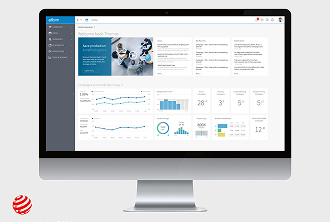
Ad Pilot tool empowers users to create ads, plan campaigns, and predict performance using the power of AI.
Image
I worked on this project as a freelance contractor for one year (Q4 2024 – Q4 2025) and delivered end-to-end UX.
AdTech
User Journey Mapping
User Interviews
Usability Testing
Prototyping
UI Design
Design System
Figma
Figma Make
Adobe Express
We identified the problem when interviewing our users - marketing specialists, ad operations specialists, small agency owners. We conducted interviews with 18 users.
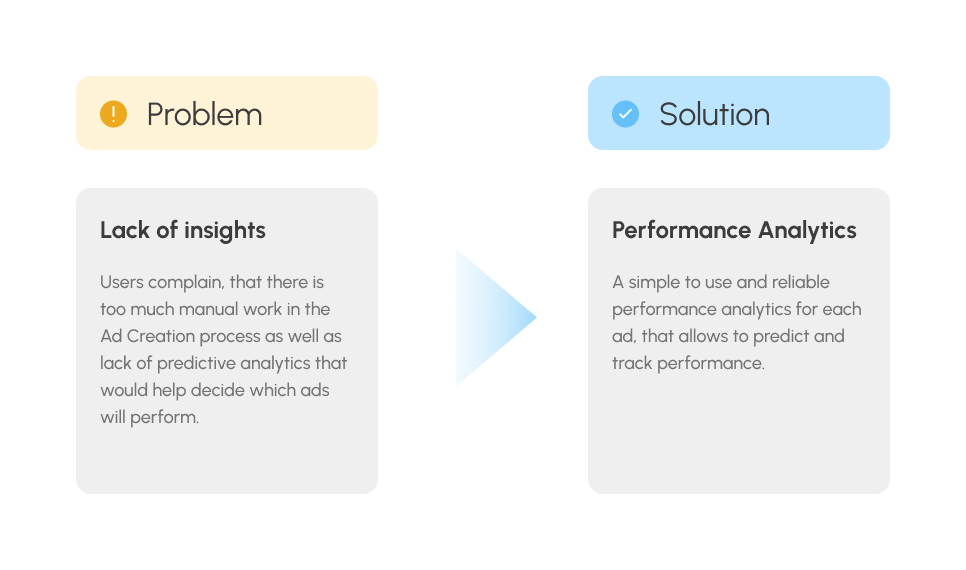
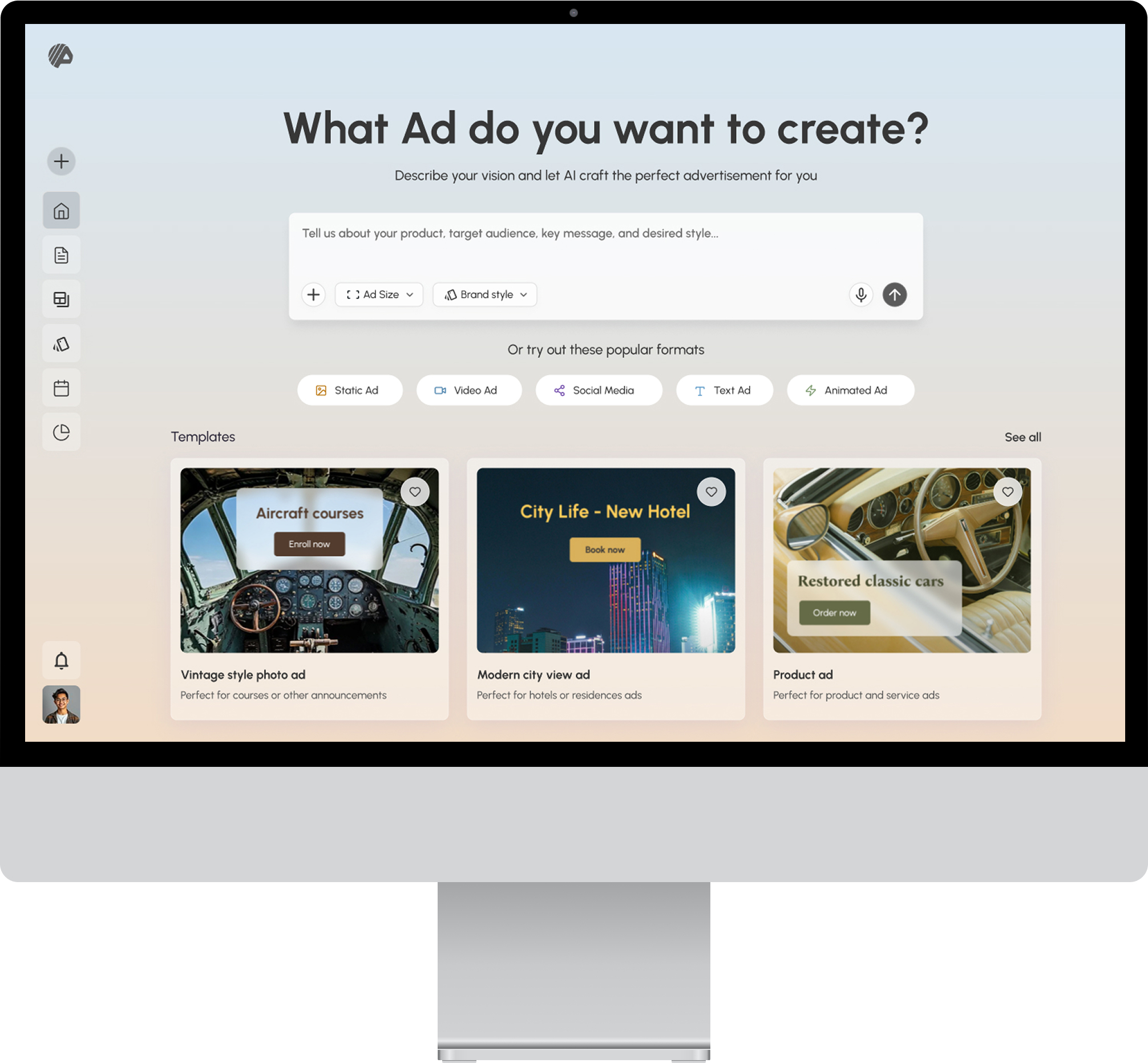
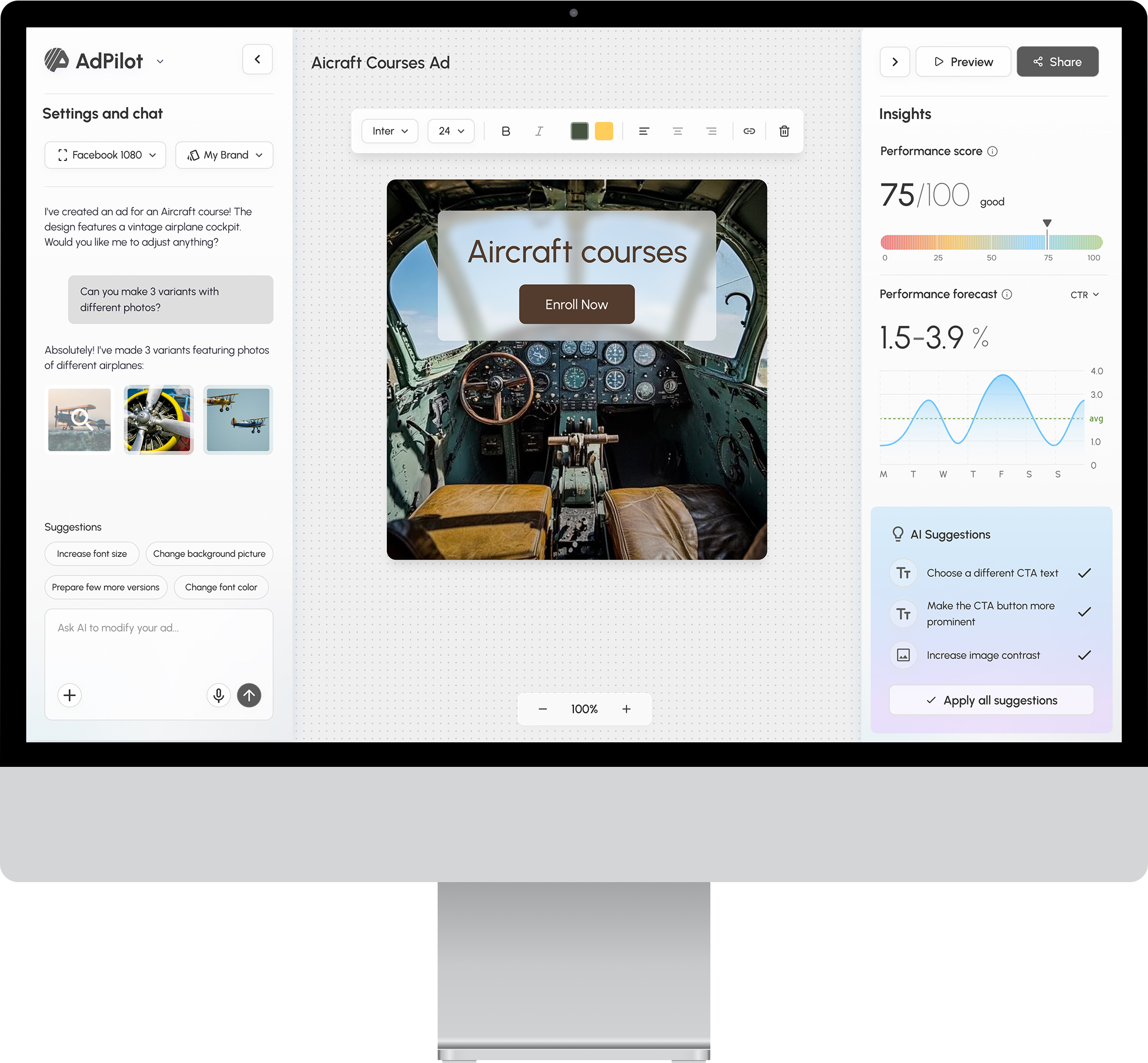
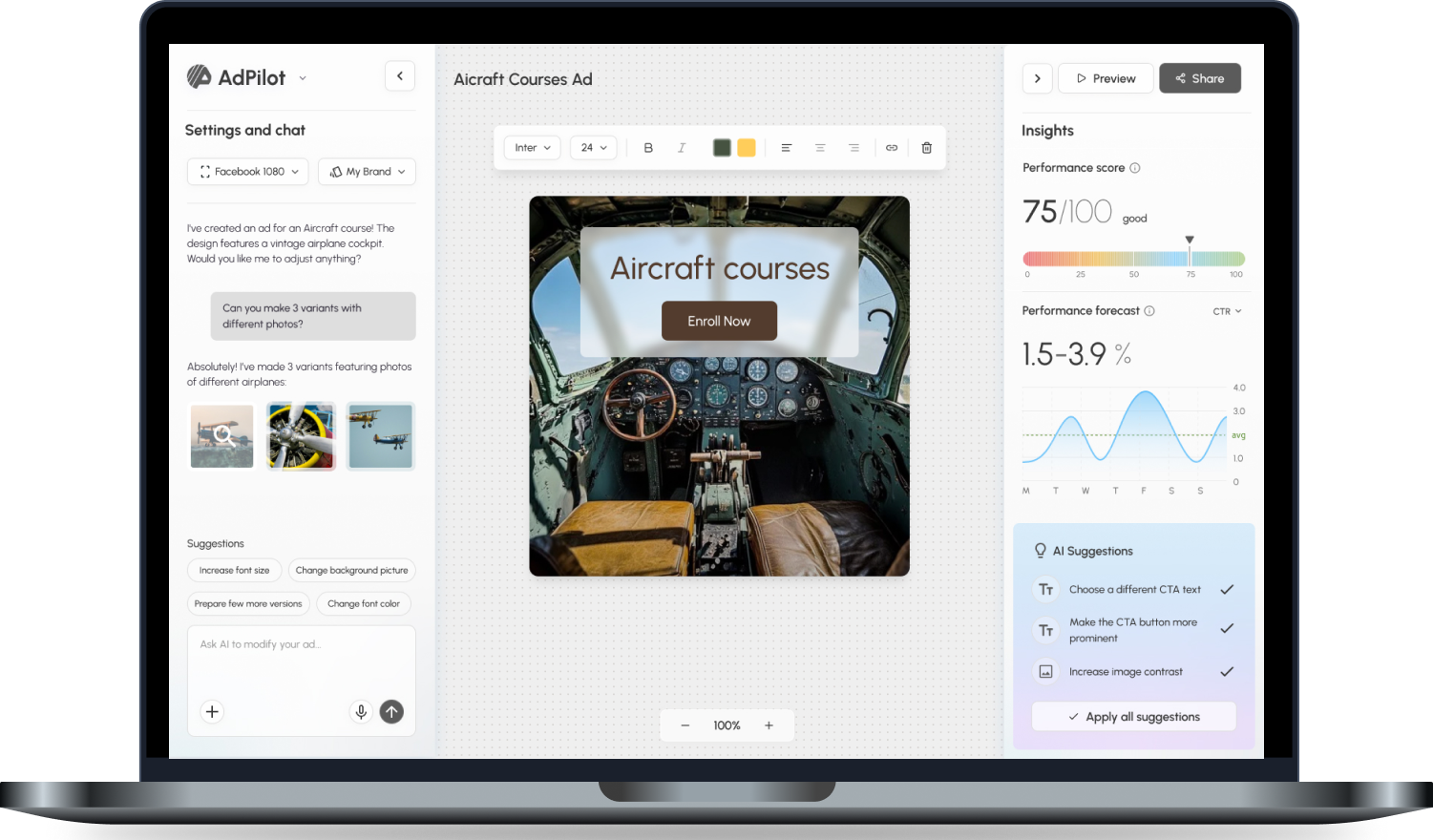
A web application design was created with the home screen (where the AI chat is placed) as well as the Ad Editing Canvas. The design was based on the user research and testing described further.
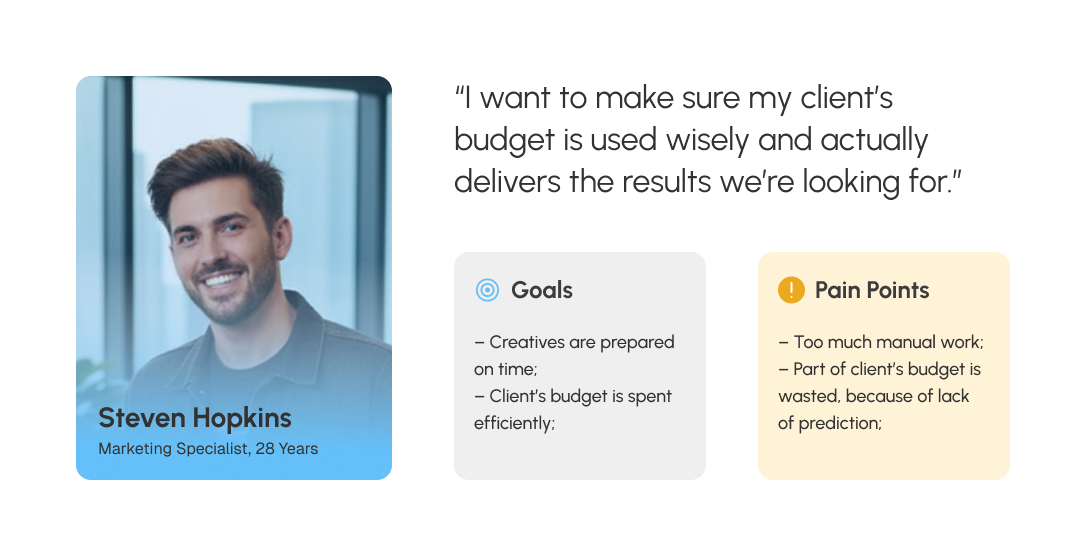
I created a persona definition based on the interviews, to better understand our users' goals and pain points.
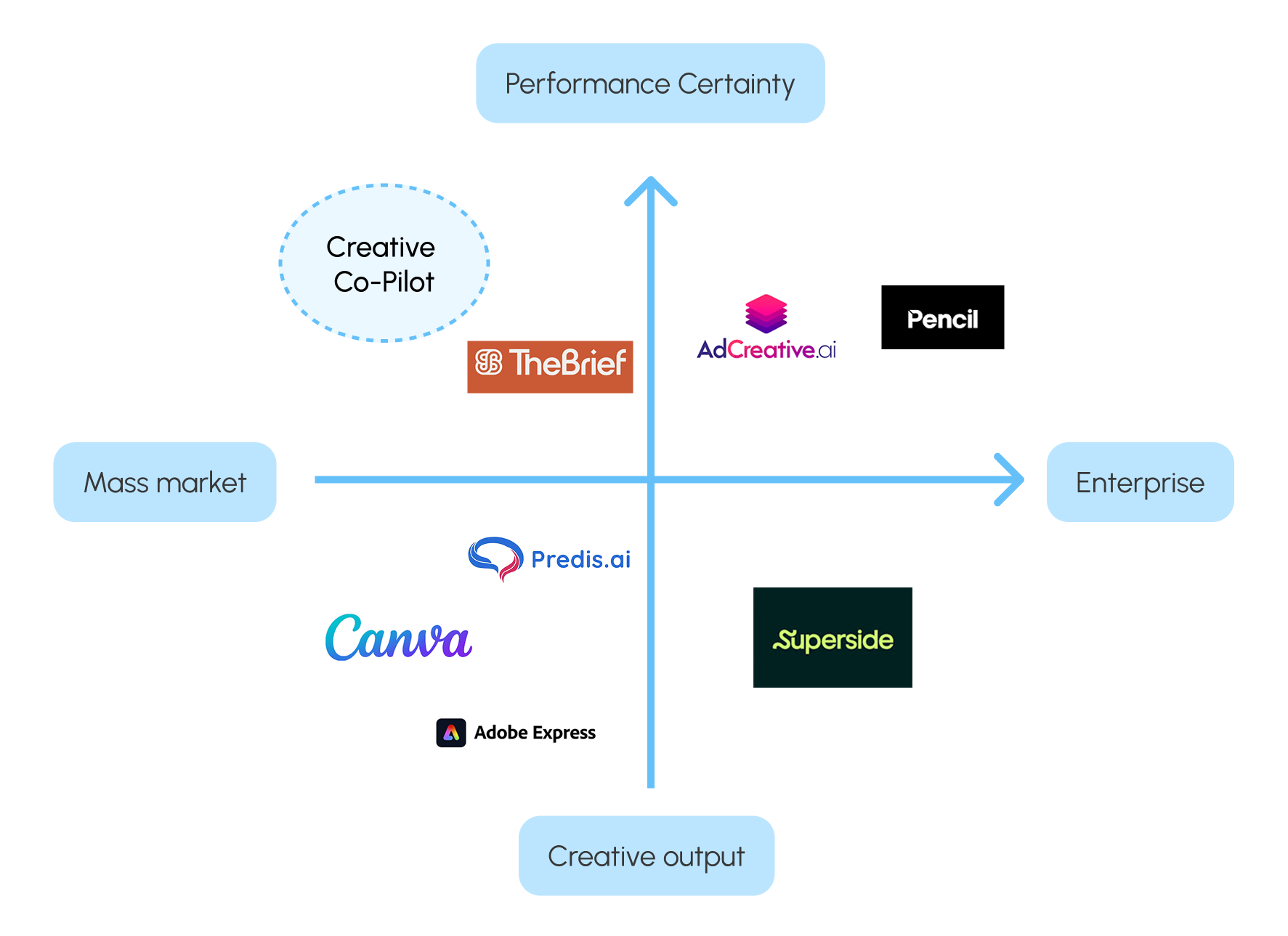
I researched 7 competitor platforms in the market of Ad Creation.
The research revealed, that there is a prevalence of tools for mass-market like Canva and Adobe,
that don't provide predictive and performance analytics. The tools aimed at more professional use like Pencil, Superside and The Brief have a steep learning curve,
are expensive and complex to use. The above-mentioned tools don't provide transparent performance prediction and scoring either.
The strategic positioning matrix below shows the gap that could bi filled by AdPilot tool.
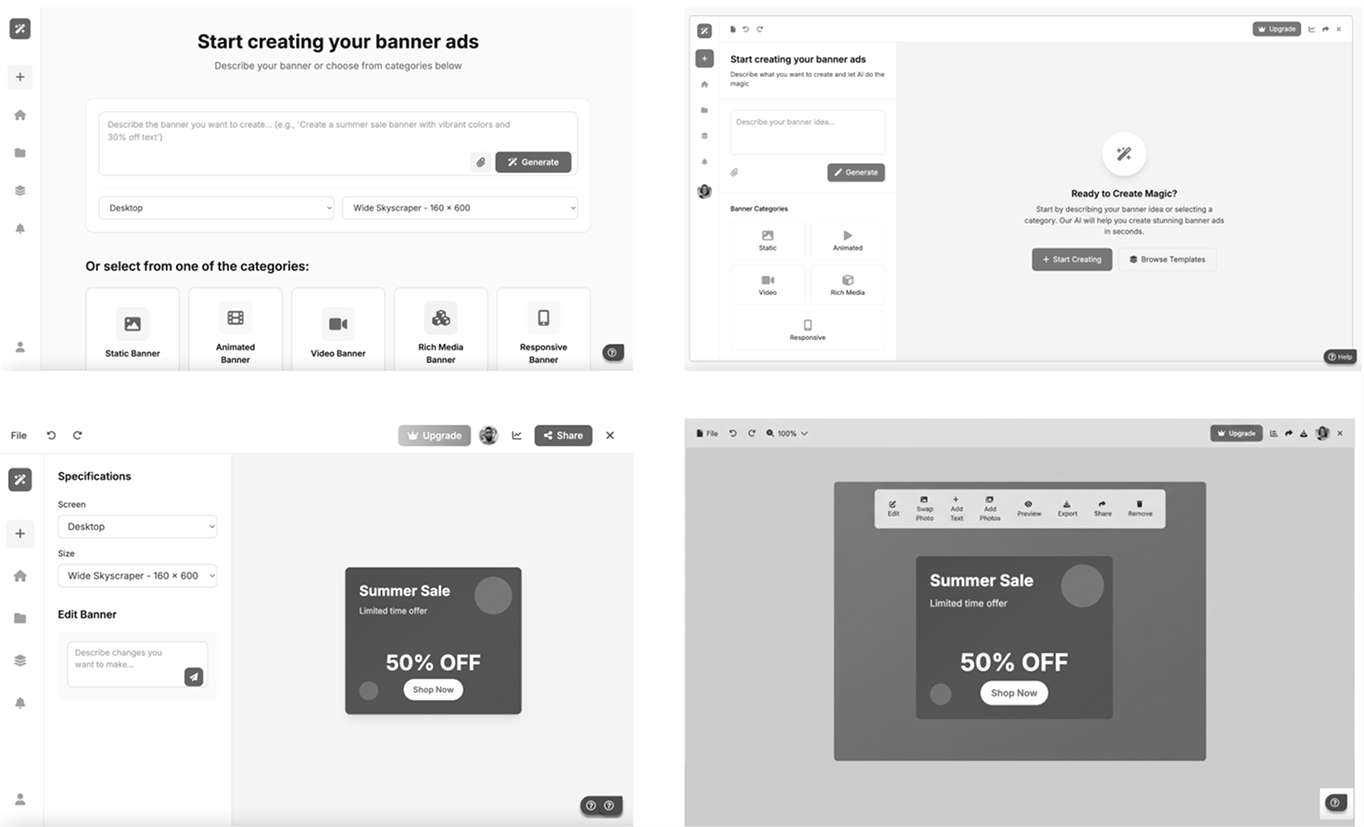
I created the wireframes visualizing the main screens to validate my ideas with project stakeholders and later with clients. We decided to move forward and directly create working prototypes to test our assumptions with users.
The first full working prototype was created with Figma Make to test our concept. I included mocked interactions with AI (prompting and Ad generation) in the prototype, so that users could test an experience that is as much as close to the real product.
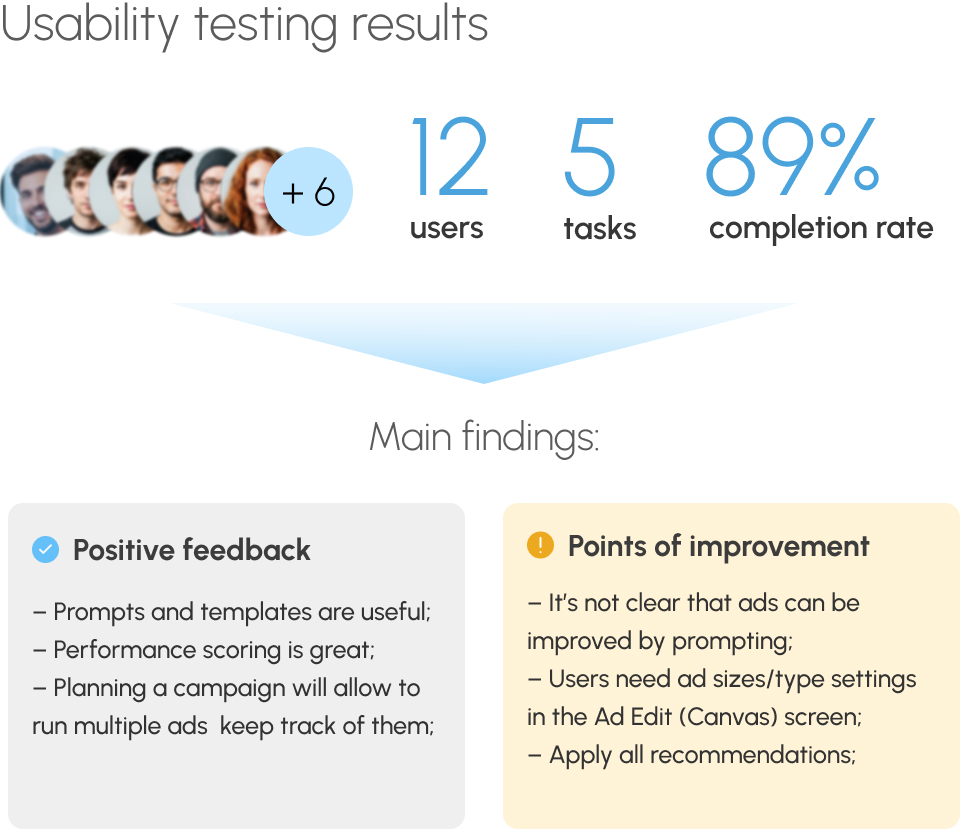
The usability testing helped identify areas for improvement and refine the user experience before moving to the next phase.
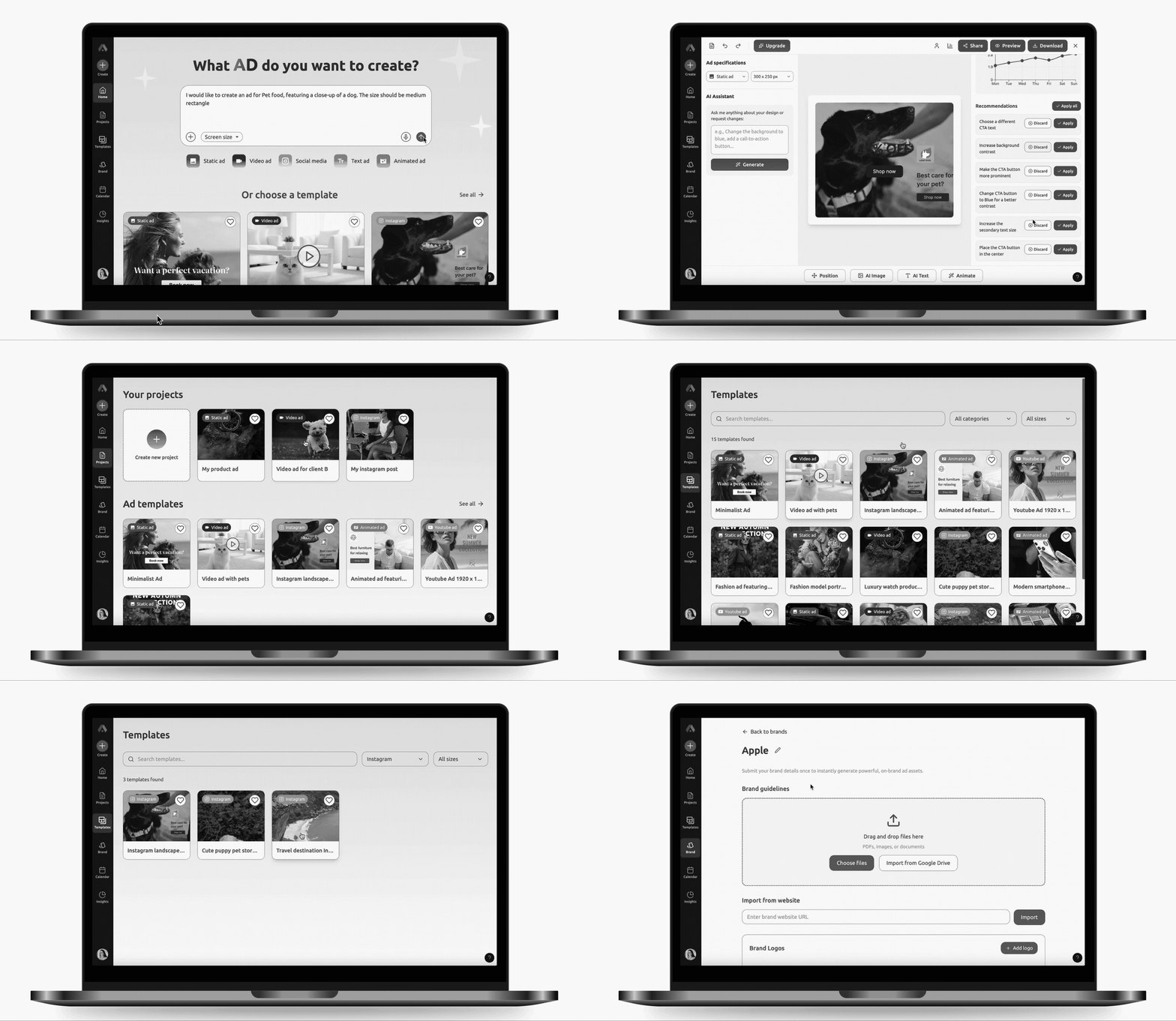
In the second iteration, I addressed user feedback by improving several areas:
1) Enhanced Prompting: Added a prompt history and a library of predefined templates to streamline the user experience;
2) Creative Control: Integrated expanded ad formats and sizes, alongside an automated recommendation.
3) Added the Projects Section with the possibility to organize, duplicate, or delete work.
4) Output & Collaboration: Enabled sharing and download capabilities.
5) Brand & Strategy: Added the area for brand guidelines and tools for benchmarking performance against competitors.
You can check out the prototype here: AdPilot fully working prototype
Username: adpilot@anarink.com
Password: Adpilot2025
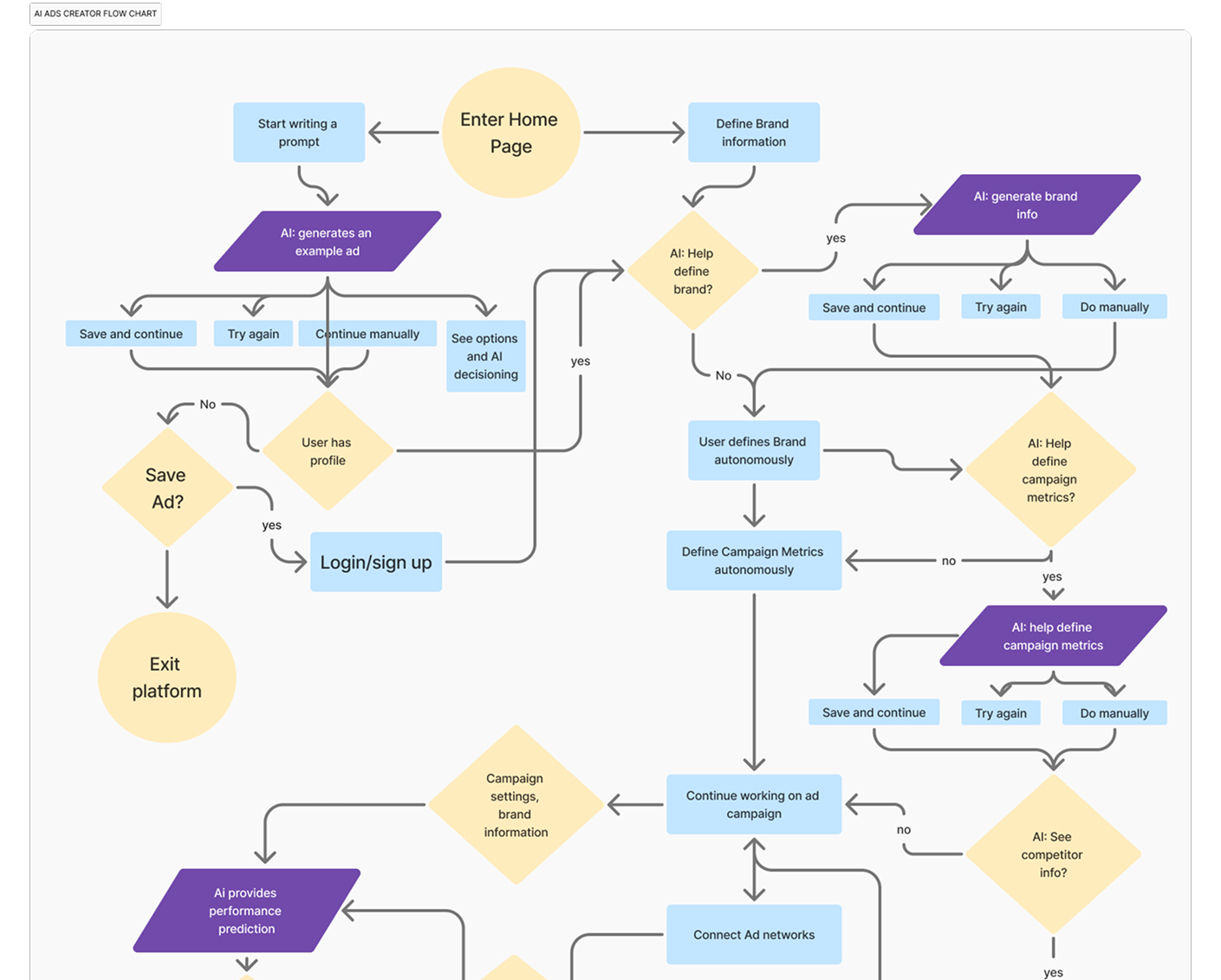
I created a user flow to map out Steven’s journey through the platform. As the platform contains AI functionality, we need to pay attention to the points where AI is used and to ensure the interaction is error-prone (provides solutions for worst-case scenarios), guiding and transparent to the user.
See the complete User Flow Chart Here.
I created other versions of the prototype based on user feedback (there were more than 5 versions at all), that were tested again.
The UI design was inspired by the aircraft cockpits, to reflect the co-pilot role of the tool. I fused classical and modern aesthetics to balance credibility with innovation. While the traditional foundation establishes a sense of trust, the modern 'liquid-glass' panels and buttons visually signal the tool’s cutting-edge AI capabilities.
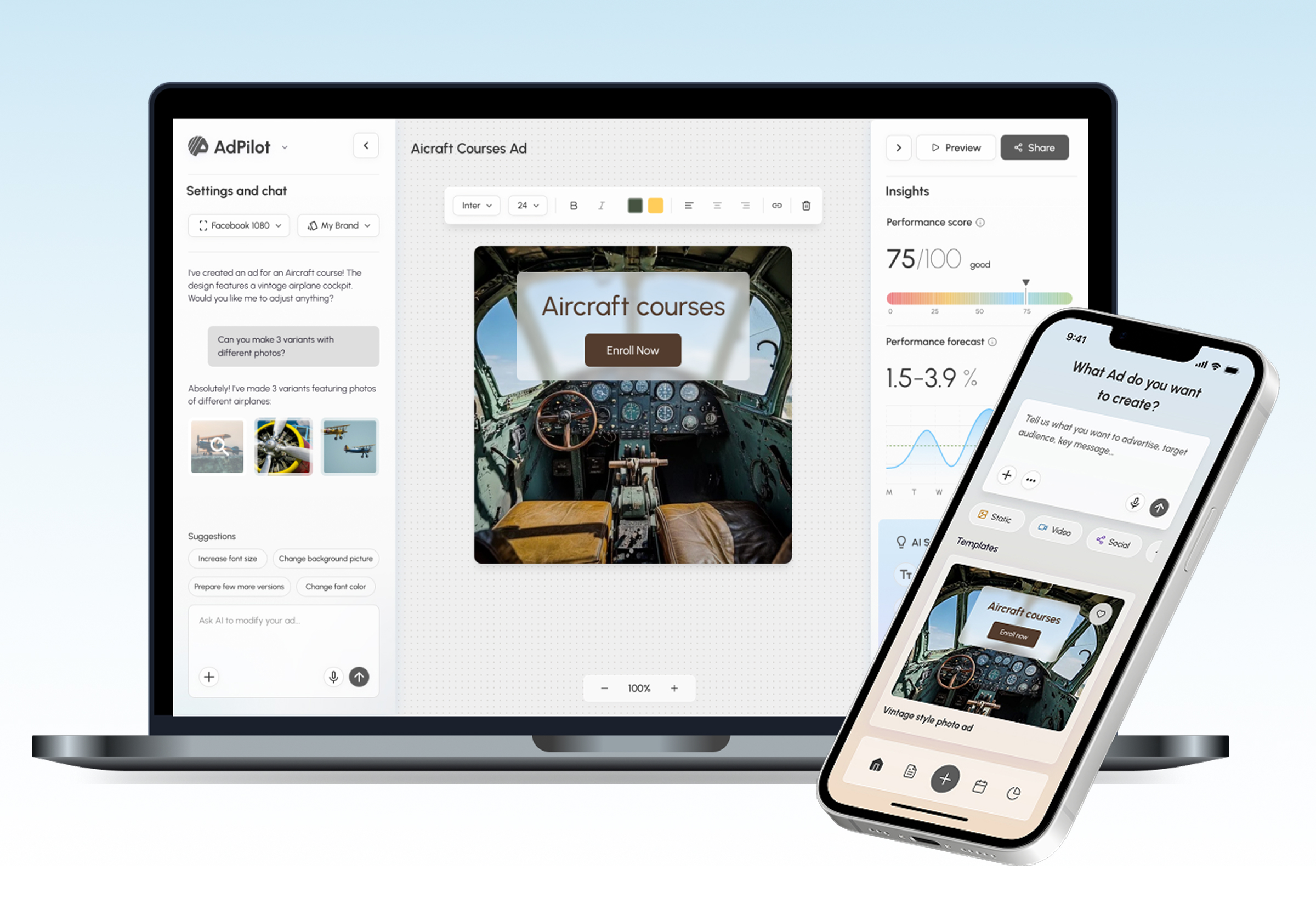
The Canvas is the area where user can refine the ad via prompting or manual editing as well as check performance forecast (in the right panel).
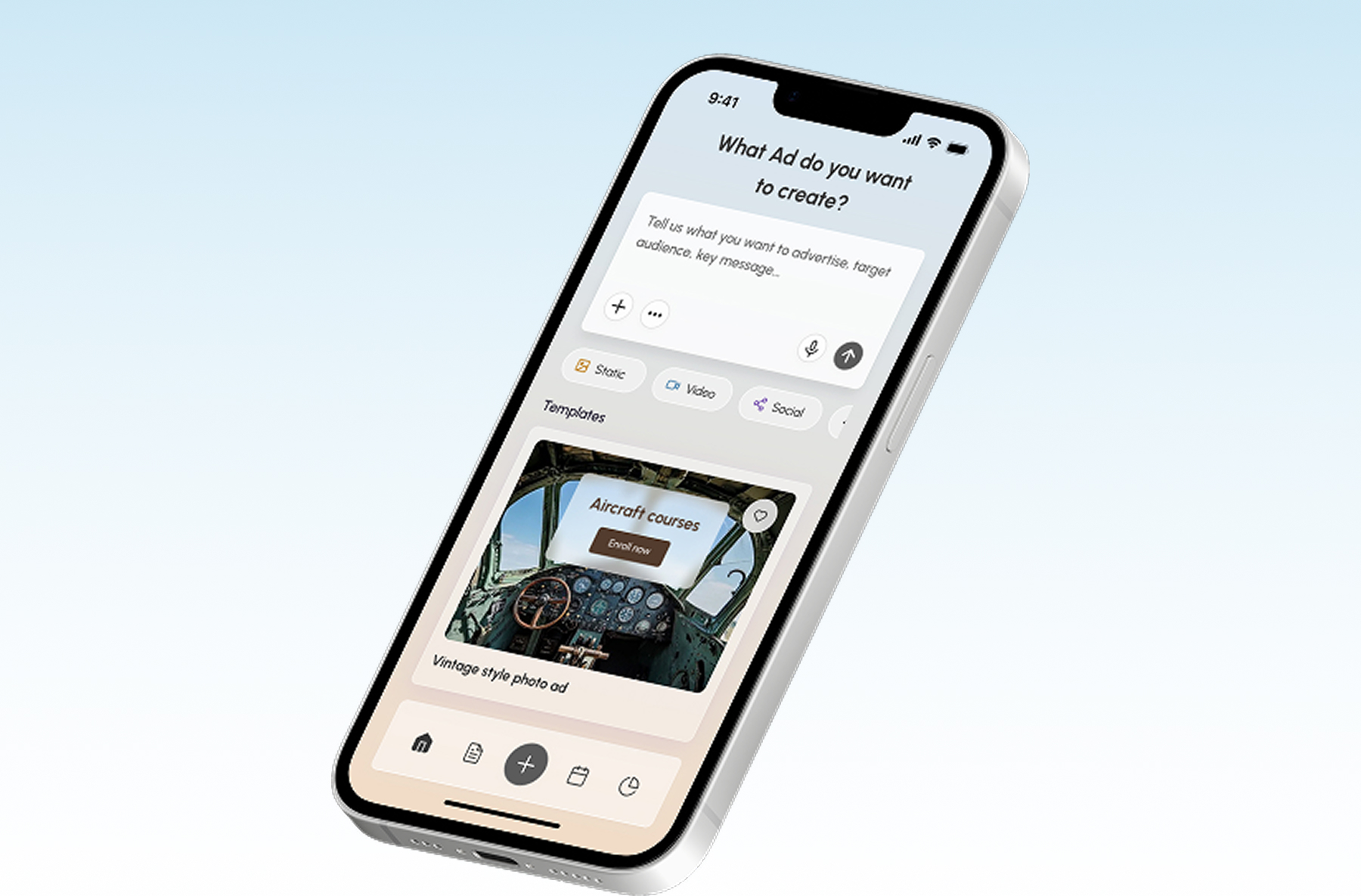
Although AdPilot's heavy lifting happens on the desktop, users needed a way to stay connected. I designed a mobile experience focused on high-frequency tasks: drafting quick concepts, previewing creative, and monitoring statistics, ensuring the tool remains indispensable even when users are away from their desks.
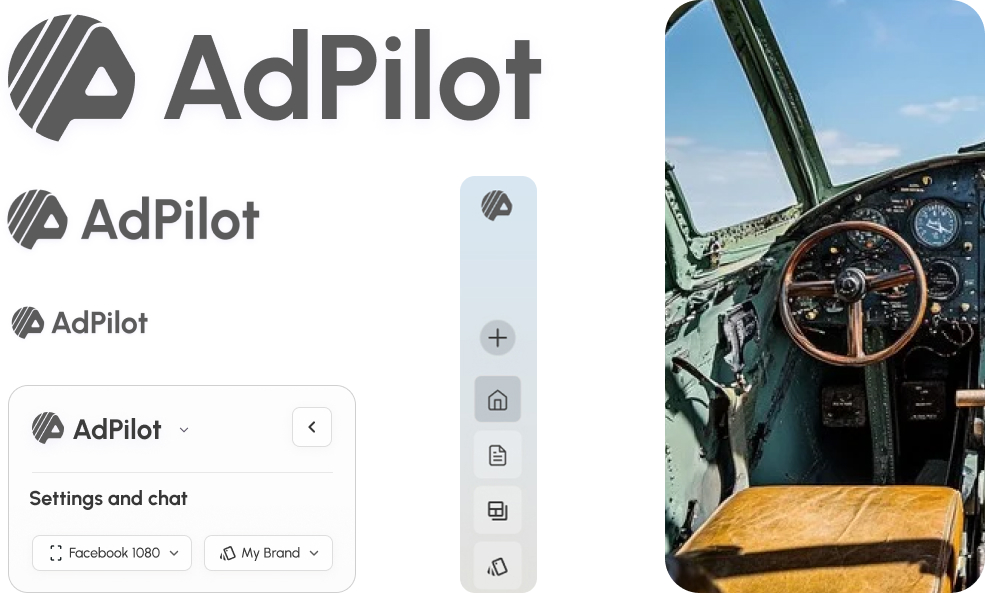
AdPilot logo symbolizes the dynamism, the evolution of an Ad design, the flexibility of an AI co-pilot. The shape of the logo is inspired be the wheel and the dashboard of the aircraft.
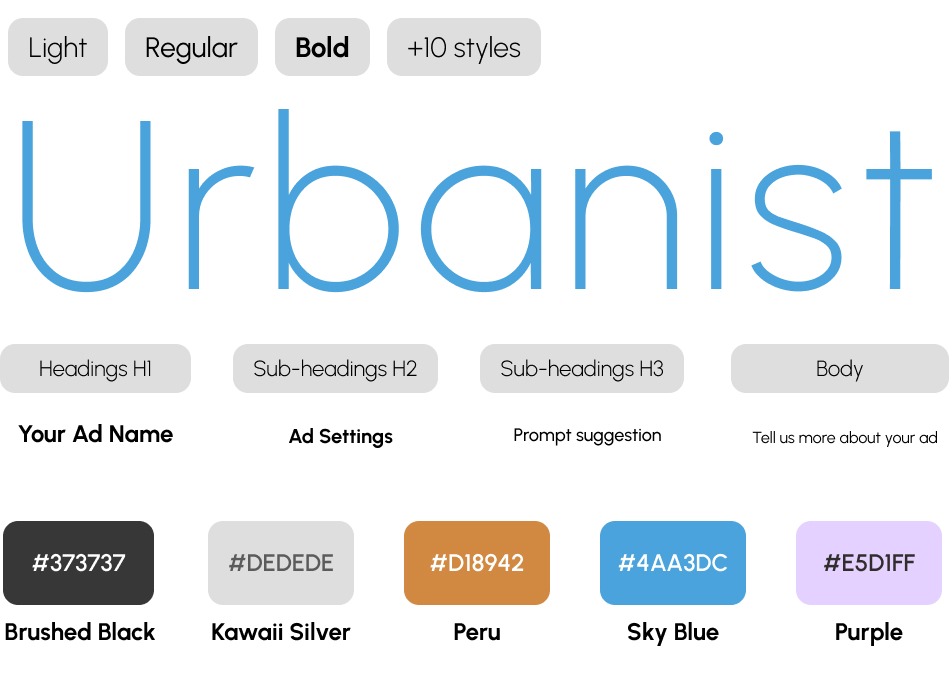
The choice of typography - Urbanist font – a geometric sans-serif inspired by Modernist typograhy, reflects the combination of the classical style in a modern interpretation.
Also the color pallette combines classical and calm colors like dark grey and blue with more vivid colors like orange and purple, used as accents for some elements, f.e. AI suggestions.
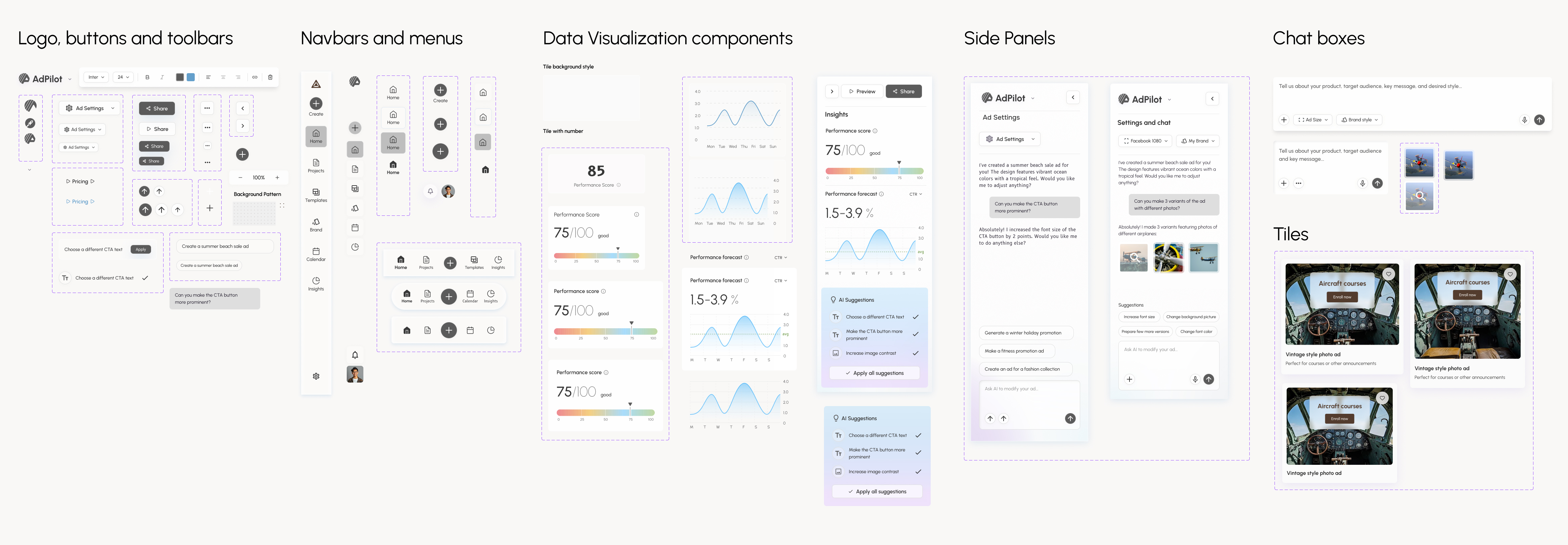
I created the component library consisting of tokens, variables for colors, typography, sizes and elevation. Main components - Logo, buttons, dropdowns, navigation bars, panels, chat boxes and tiles - are shown here.
Built for versatility, the system features a library of responsive components designed to scale effortlessly. From chatboxes to data visualizations, every element is optimized for cross-device functionality, ensuring a cohesive UI regardless of the screen or scenario.
1) 200% increase in marketer's productivity: marketers and ad operation specialists will be able to cut the manual work time and invest time into more valuable activities;
2) De-risking the spending of client's budget and reducing the campaign planning time by 50%.
Web site design Ana Rink © 2025